MSI Laptop Fan Cleaning & Overheating Fix in Istanbul
Is your MSI running hot, throttling performance, or making a loud fan noise? A deep clean and thermal paste replacement can drop temperatures by 20–30°C and bring back full speed.
Why Is Your MSI Laptop Overheating?
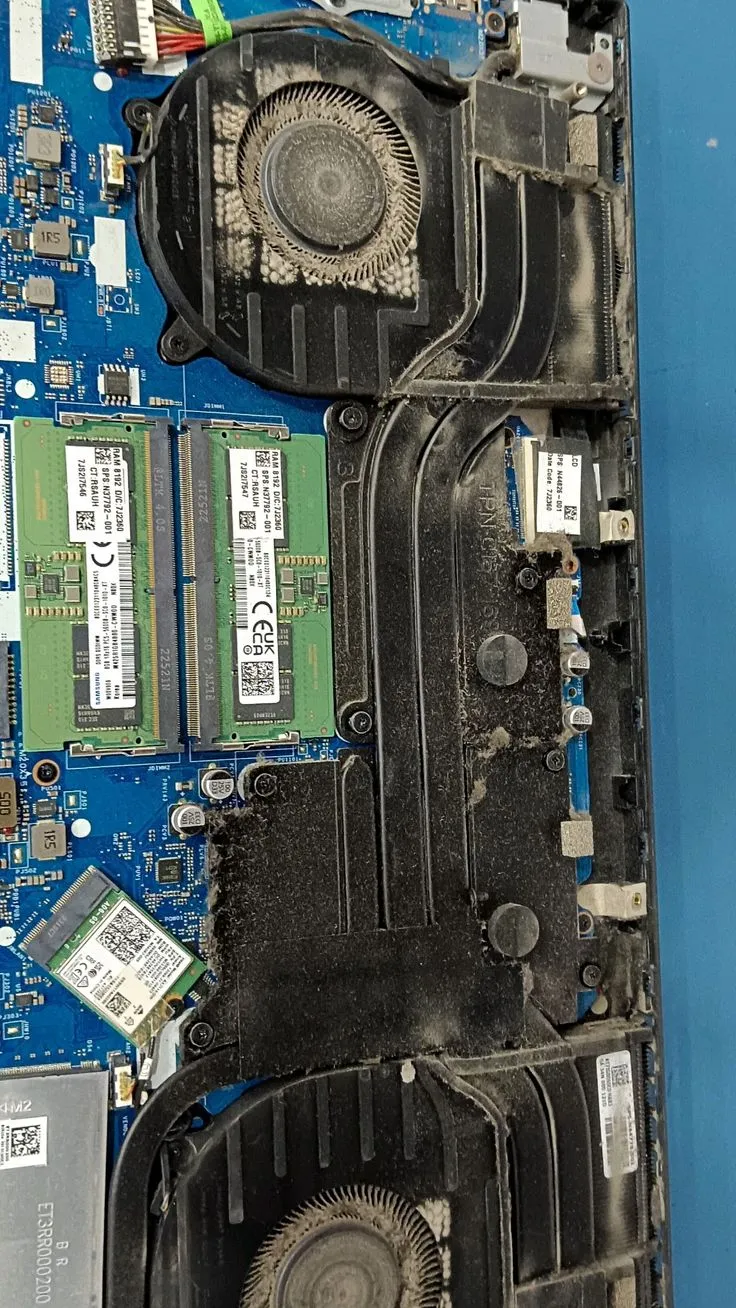
Every laptop accumulates dust. Over time, fine particles settle in the fan blades and heat sink fins — blocking airflow. At the same time, the thermal paste that transfers heat from the CPU and GPU to the heat sink hardens and loses effectiveness.
The result: temperatures climb. Once a processor hits its thermal limit (usually 85–100°C), it throttles — reducing clock speed to protect itself from damage. You feel this as slow performance, lag, and freezing, even on a laptop that was fast when new.
For MSI laptops: Many MSI gaming models feature Tri-Fan Technology with three fans. Keeping all three clean is essential — a single clogged fan disrupts the entire airflow design.
Signs Your MSI Needs Cleaning
What's Included in the MSI Laptop Cleaning Service
A thorough clean is more than just blowing air through the vents. Here's everything we do.
Full Disassembly
We open the laptop completely, removing the base panel and all internal components safely.
Fan Blade Cleaning
Every fan blade is cleaned individually. Dust trapped in the blades is removed — not just blown around.
Heat Sink Deep Clean
The heat pipe fins are thoroughly cleaned with compressed air and brushes to restore full airflow.
Thermal Paste Removal
Old, dried-out thermal paste is carefully removed from the CPU and GPU dies using isopropyl alcohol.
Fresh Thermal Compound
We apply high-quality thermal compound. We use premium paste for gaming and creator laptops.
Temperature Test
Before returning your laptop, we run it under load and verify temperatures are in the safe range.
Temperature Before vs After Cleaning
These are typical results we achieve on MSI laptops. Results vary by model and age.
Before Cleaning
95°C+
CPU under load
Typical Drop
–25°C
average improvement
After Cleaning
65–72°C
CPU under load
Our MSI Laptop Cleaning Process
Check Temperature
We run a stress test to capture baseline temperatures and confirm overheating before opening the laptop.
Full Disassembly
We open the laptop carefully, removing the bottom panel and fan/heatsink assembly without damaging any connectors or clips.
Clean & Re-Paste
Fans and heat sink are cleaned thoroughly. Old thermal paste is removed and replaced with fresh high-performance compound.
Verify Temperatures
We reassemble and run another stress test. Only when temperatures are in the safe range do we confirm the job is complete and call you to collect.
MSI Laptop Fan Cleaning Cost (2026)
Thermal paste and full cleaning included. No hidden extras.
Standard Clean
Full clean, thermal paste replacement, and temperature verification. Same-day service.
Standard + Fan Test
Most MSI models fall here. Includes load testing and temperature report.
Gaming / Multi-Fan
Complex gaming models with multiple fans and heatpipes require more time and premium paste.
If a fan needs full replacement (bearing failure), additional parts cost applies. We quote this separately. Ask us.
MSI Laptop Fan Cleaning Questions
Fan cleaning for MSI Laptop starts from ₺400 and can reach ₺900 for gaming models with complex cooling systems. The price always includes thermal paste replacement — we don't charge extra for that.
For everyday use: every 12 months. For gaming or intensive workloads: every 6–8 months. Dusty environments (workshops, carpeted rooms) require more frequent cleaning. It's the single most cost-effective maintenance you can do.
Almost certainly yes, if it was thermal throttling. When temperatures drop after cleaning, the CPU and GPU no longer need to reduce their clock speeds. Many customers report their laptops feeling noticeably faster after the clean.
Yes, always. Cleaning without replacing the thermal paste only solves half the problem. We include thermal paste replacement in every fan cleaning service as standard — no additional charge.
Grinding or rattling usually means the fan bearing is wearing out, or dust is caught in the blades. In some cases cleaning is enough. If the bearing is failing, we replace the fan unit — we'll quote you before doing anything.
You can blow compressed air through the vents, but this only moves some of the dust — it doesn't clean the fins or replace the thermal paste. A proper clean requires full disassembly and takes about an hour. We'd recommend a professional service for the best results.
Stop the Overheating. Book a MSI Laptop Clean Today.
Call or WhatsApp us. We'll confirm availability and get your MSI running cool again — usually the same day.